> ## Documentation Index
> Fetch the complete documentation index at: https://docs.docwriter.org/llms.txt
> Use this file to discover all available pages before exploring further.
# Activity and transcript
Use the activity log to follow the main steps while a request is running. Use the transcript when you need the full record, such as the exact command the agent ran or the reason an earlier step failed.
## Follow the current request
Expand the agent dock to see assistant messages, tool progress, work delegated to another agent, errors, and the current session cost. While the agent works, you can see the active request above older activity, so you can check progress without leaving the draft.
Open **Settings**, then **History detail** to choose how much the activity log shows. Choose **Minimal** when you only need the main steps. Choose **Verbose** when you are checking how the agent reached an answer and need more assistant and **Thinking** entries. Thinking entries show the model's intermediate notes when the provider makes them available.
## Open the full transcript
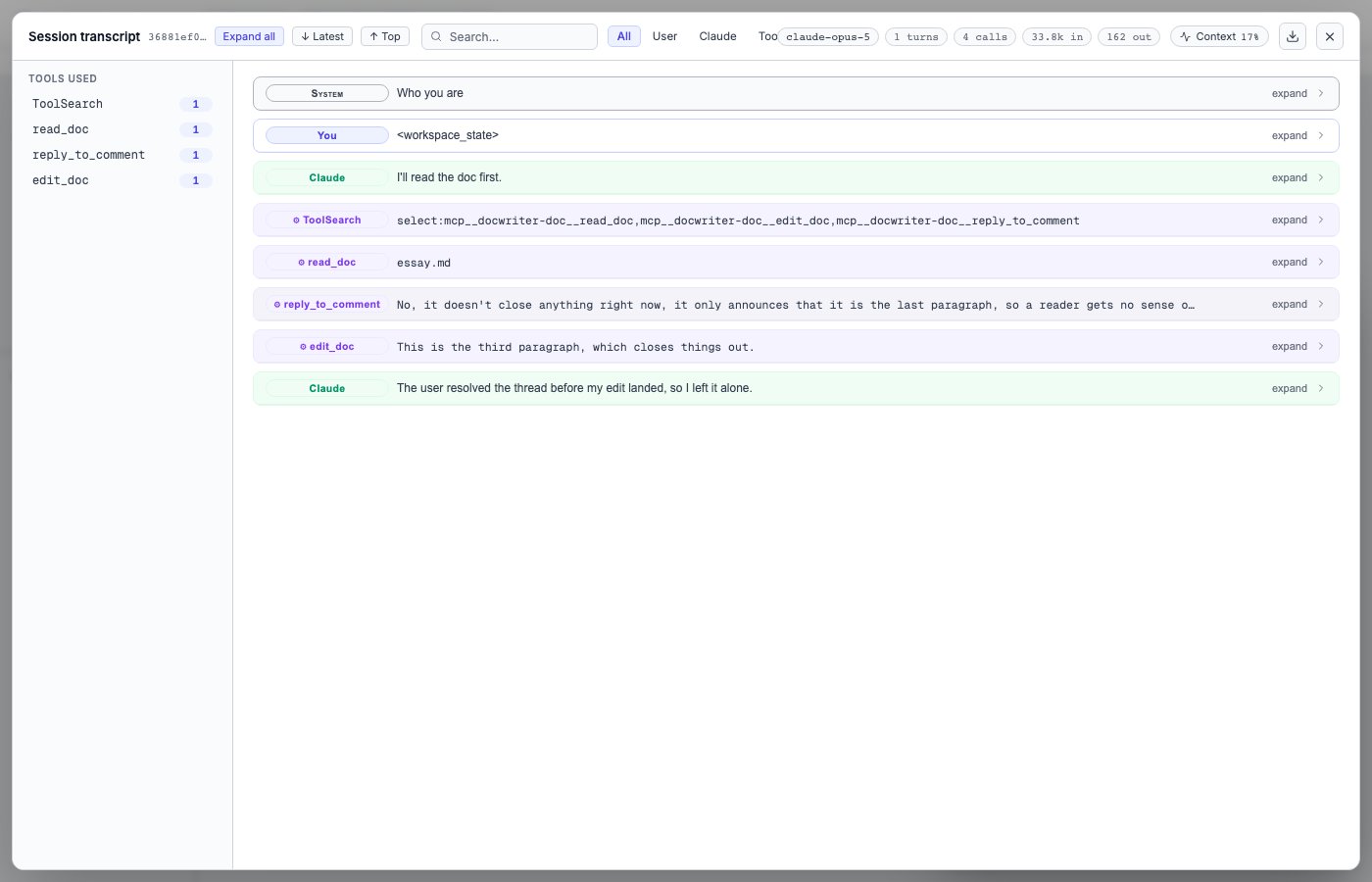
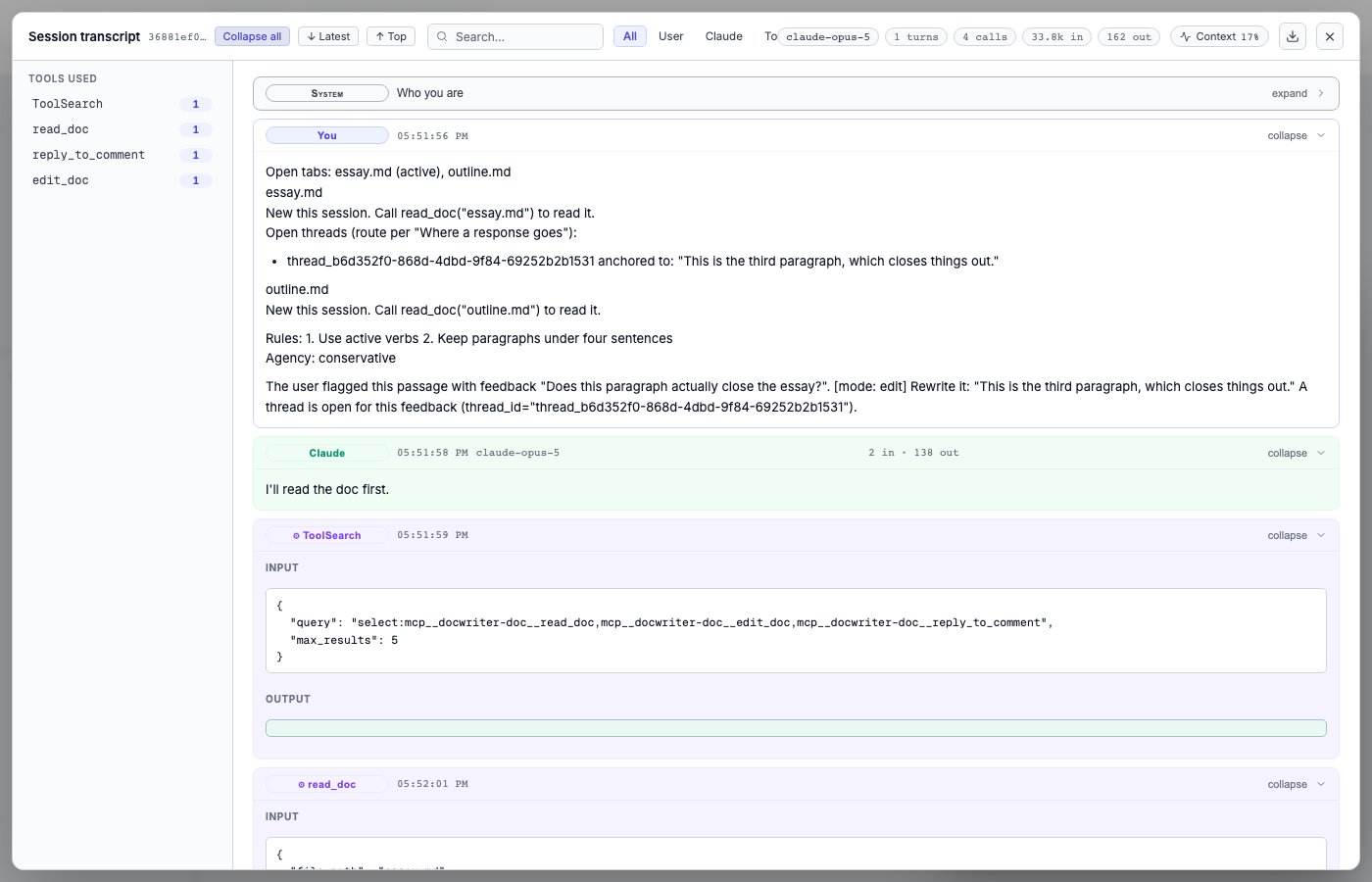
Choose **Transcript** in the dock header. Search the conversation or filter it by user messages, assistant messages, tools, or **Thinking**. Filters are useful when a long session contains many requests and you only need one type of event.
Expand a tool call to inspect its input and result. Open the Context view to see an estimate of how much of the model's available conversation space the session uses. A session that approaches the limit may leave less room for earlier details.
Use the export action to download the transcript as JSON when you want to keep the record or inspect it with another tool.
 Use the transcript to see what happened inside one session. Read [Sessions](/agent/sessions) to switch conversations or start a new one.