> ## Documentation Index
> Fetch the complete documentation index at: https://docs.docwriter.org/llms.txt
> Use this file to discover all available pages before exploring further.
# Customize the agent
> Use rules, references, skills, and saved reviewer behavior.
## Writing rules
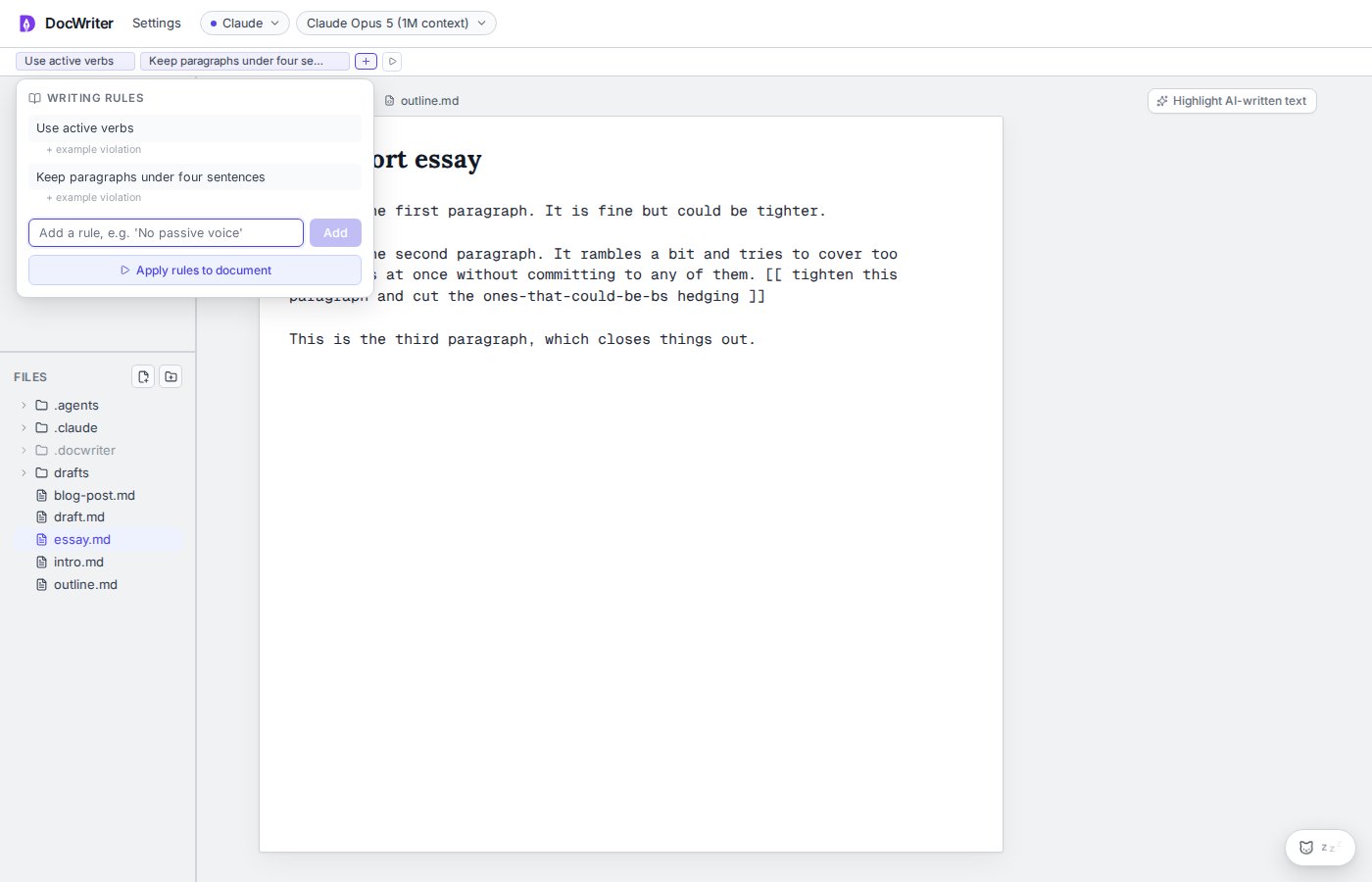
Rules appear in the toolbar above the workspace. Add a rule, edit it, remove it, or add an example violation. Use **Apply rules to document** to ask the agent to check the current file or selected tabs.
When several tabs are open, the agent asks whether to apply the rules to the active tab, every open tab, or a selected set before it edits.
The agent can propose a new rule. A **Proposed rule** toast lets you accept or dismiss it.
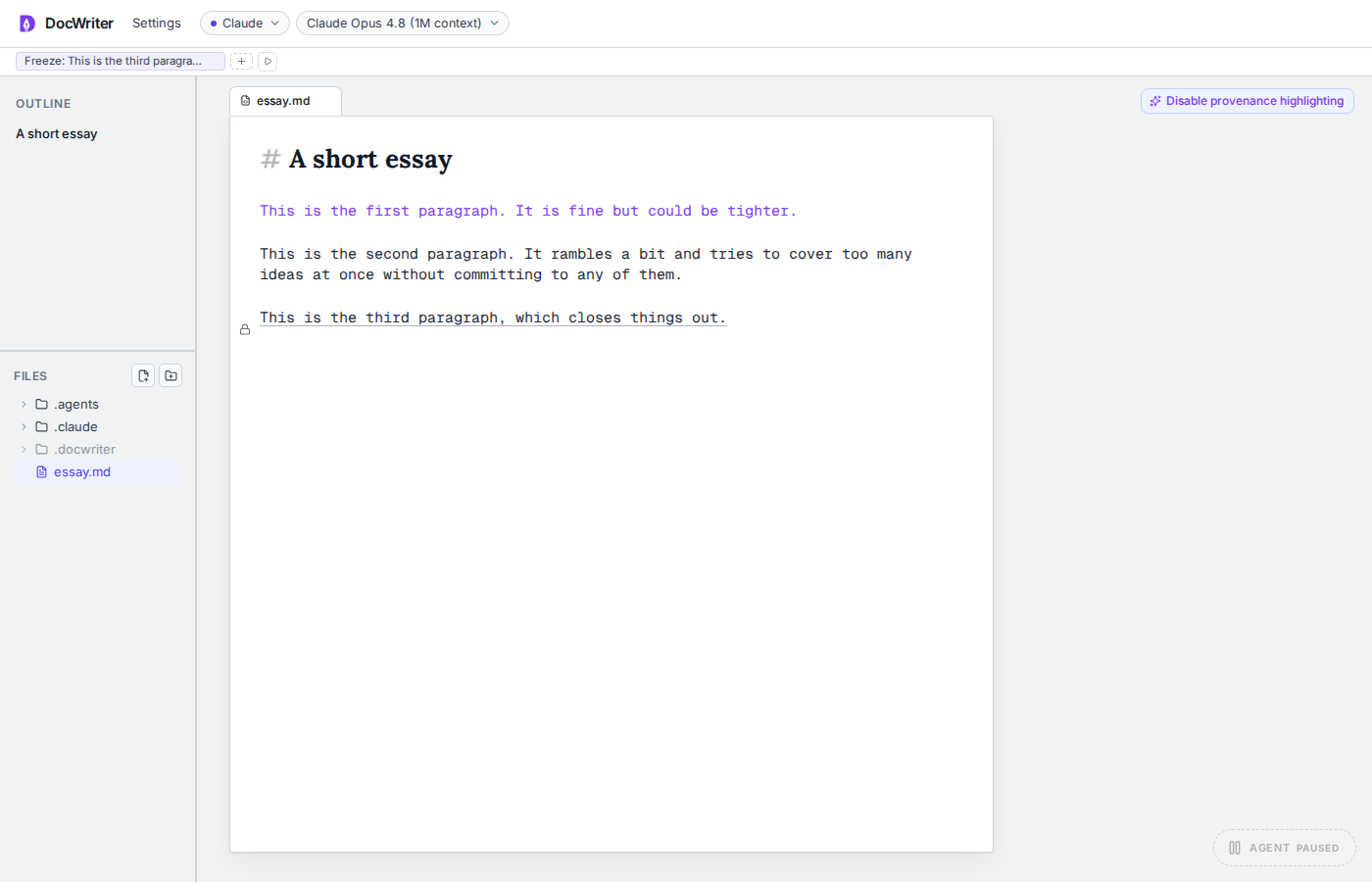
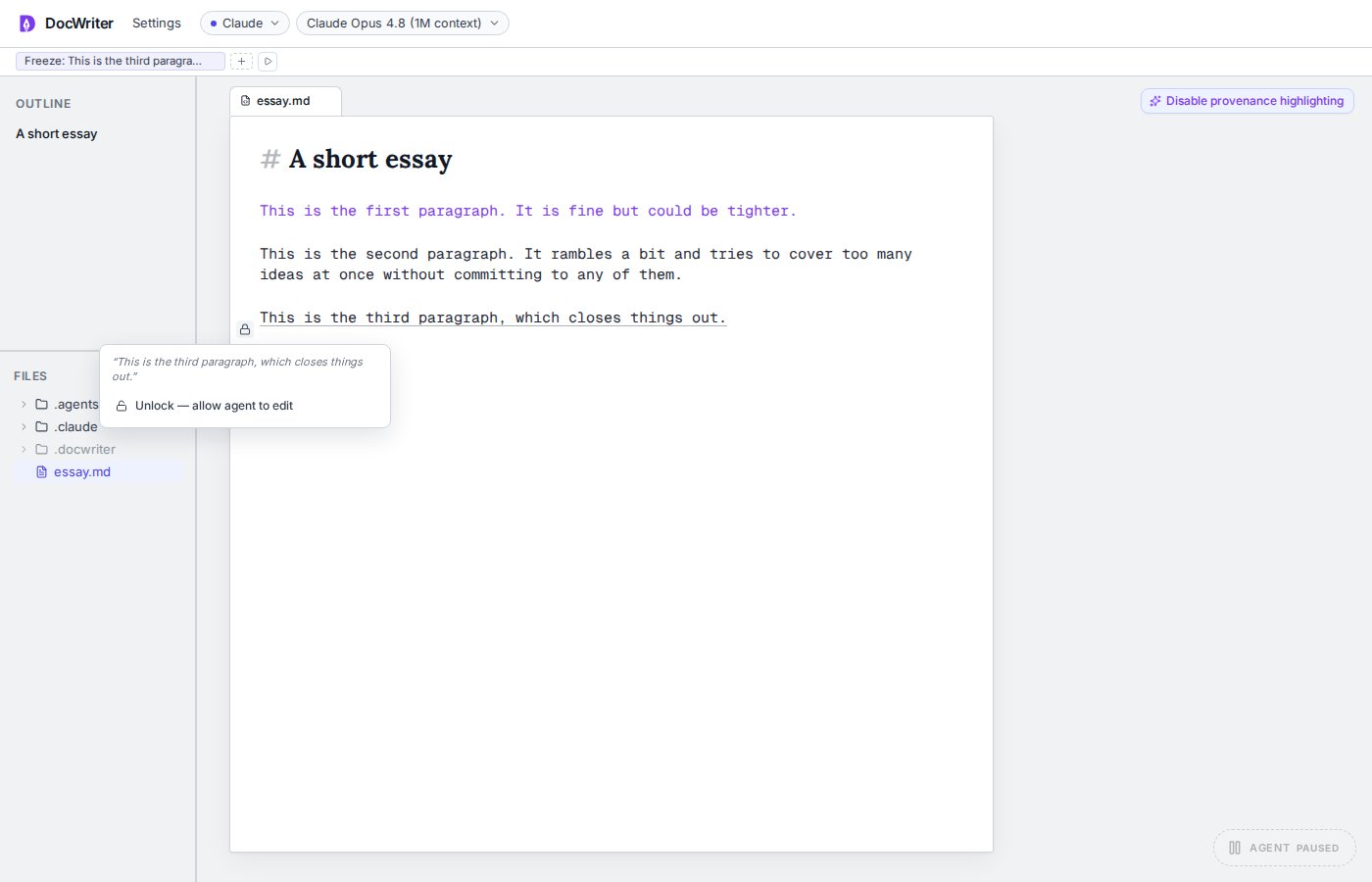
Freezing a passage creates a rule for the exact text. Read [Selected text and directives](/agent/selected-text-and-directives) for the lock controls.
Saving a new rule wakes the agent with a request to bring the open files into compliance. You do not need to click Wake separately.
 ## Writing references
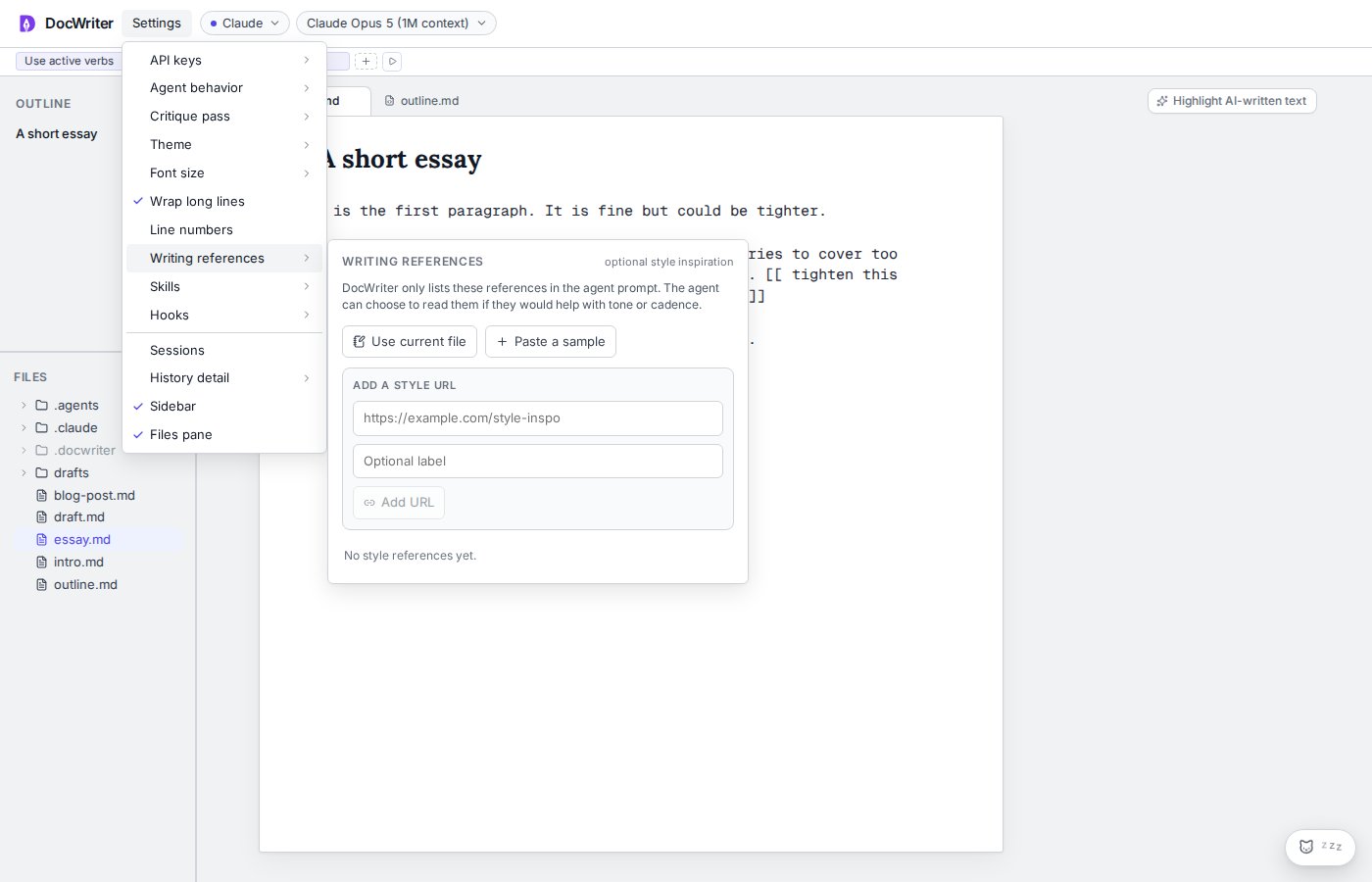
Open **Settings**, then **Writing references**. You can use the current file, paste a writing sample, or save a URL.
References are examples for the agent to consult when a request needs them. Enable, disable, or remove a reference without changing the source file.
Adding a reference wakes the agent so it can consider the new material during the next pass.
## Writing references
Open **Settings**, then **Writing references**. You can use the current file, paste a writing sample, or save a URL.
References are examples for the agent to consult when a request needs them. Enable, disable, or remove a reference without changing the source file.
Adding a reference wakes the agent so it can consider the new material during the next pass.
 ## Skills
Open **Settings**, then **Skills**. Install a skill from GitHub shorthand or a local path, enable or disable it, run it as a slash command, or remove it.
DocWriter includes the plain writing and hooks creator skills. Project skills can also live under `.claude/skills/`.
## Skills
Open **Settings**, then **Skills**. Install a skill from GitHub shorthand or a local path, enable or disable it, run it as a slash command, or remove it.
DocWriter includes the plain writing and hooks creator skills. Project skills can also live under `.claude/skills/`.
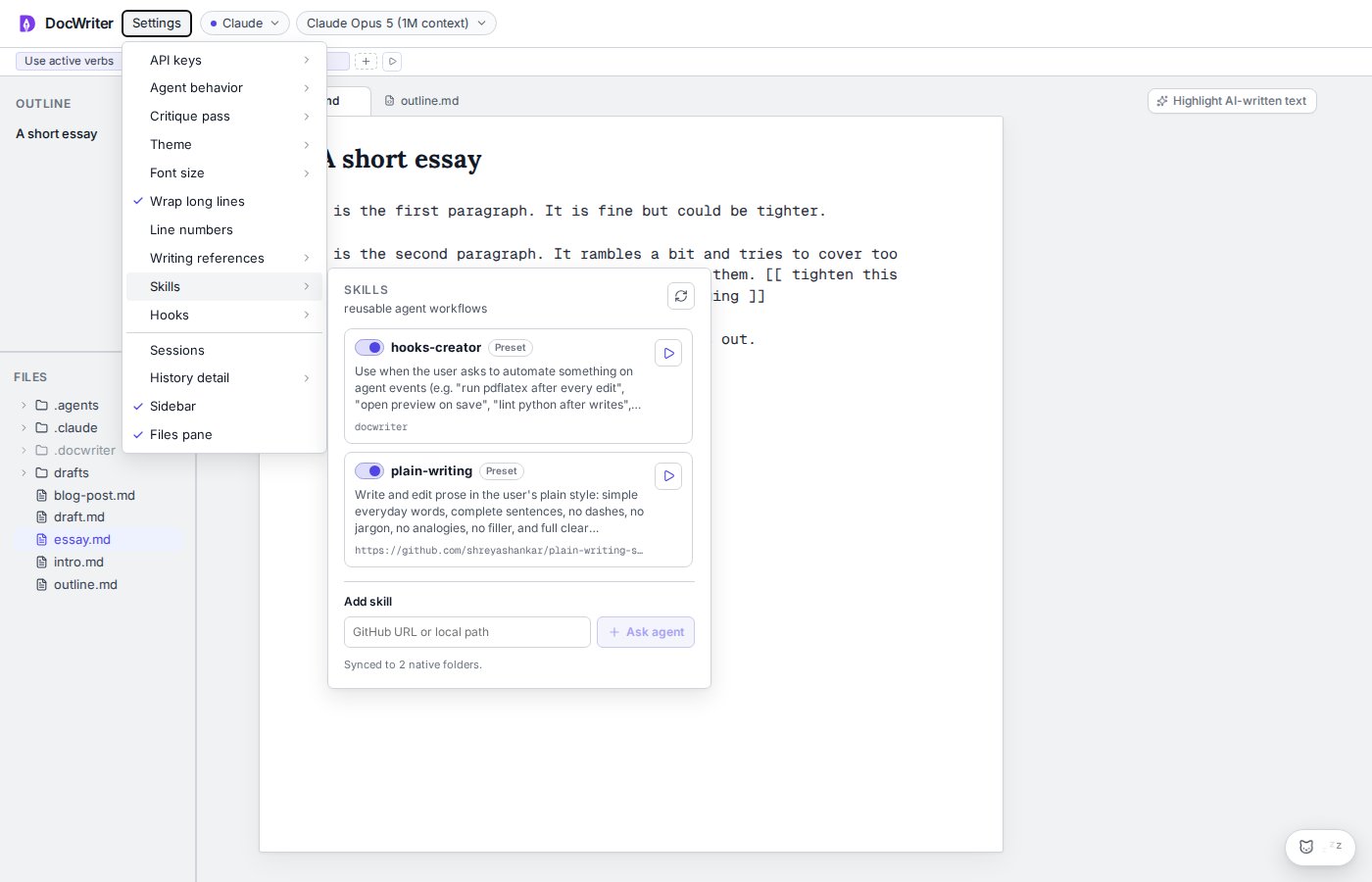 When a skill name is vague, ask the agent to find or create the right skill. Provider support differs because some providers receive skill instructions through their prompt rather than a native skill system.