> ## Documentation Index
> Fetch the complete documentation index at: https://docs.docwriter.org/llms.txt
> Use this file to discover all available pages before exploring further.
# Tabs
> Open any text file as a tab. Per-tab state. How tabs persist.
DocWriter doesn't have a "supported file types" list. Any text file
in your workspace can be opened as a tab — Markdown, LaTeX, BibTeX,
JSON, YAML, plain `.txt`, source code, anything that's not binary.
Binary files (images, PDFs) open in the [preview
window](/automation/preview) instead of as an editor tab.
## Opening files
Click any file in the file tree (lower-left) and it opens as a tab in
the editor. The tab bar runs across the top of the editor surface.
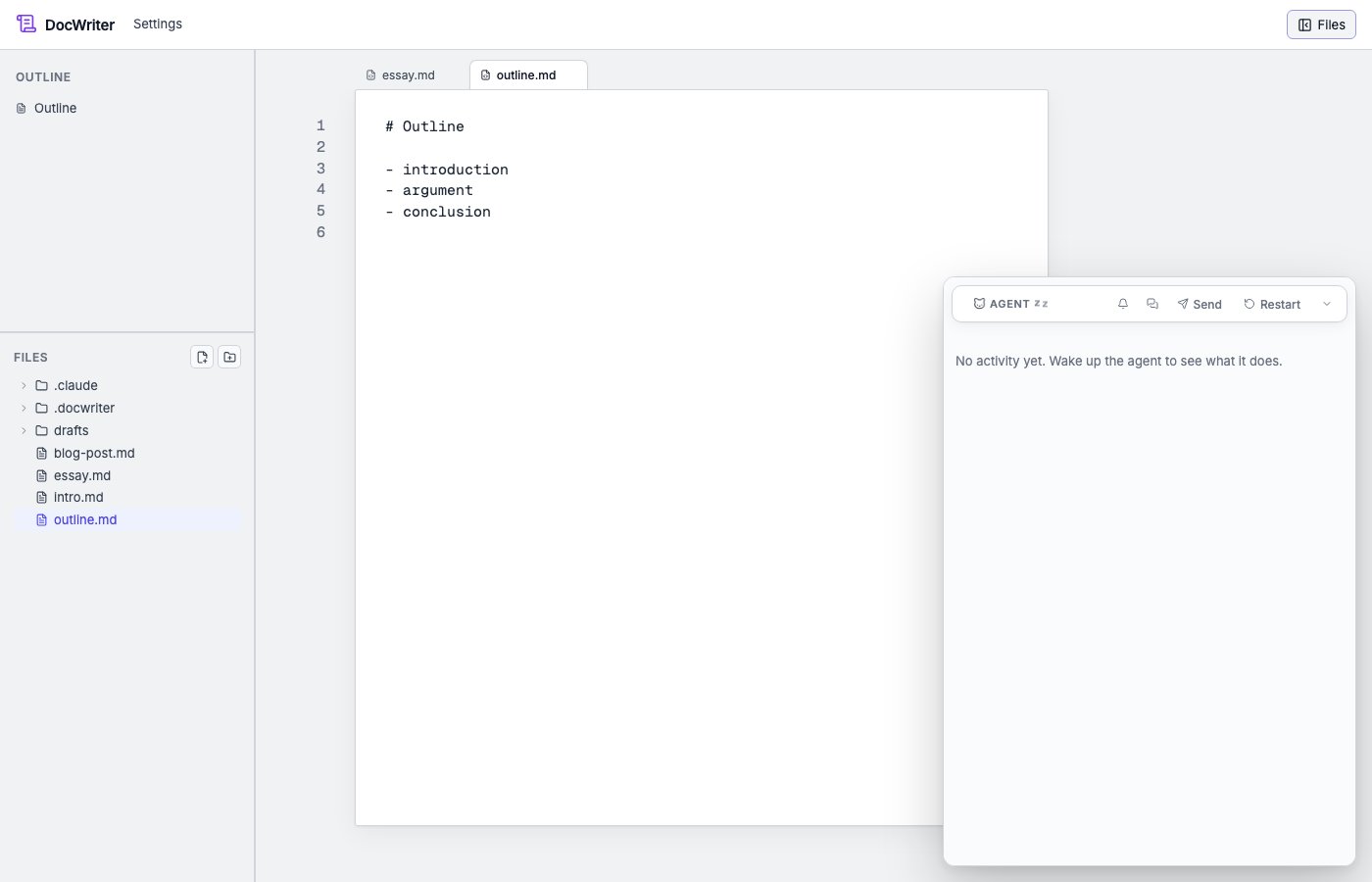 Switch between tabs by clicking; close a tab with the `×` (or
middle-click).
The file tree hides a few names that are usually noise: `.git`,
`node_modules`, `.svelte-kit`, `build`, `.DS_Store`. `.docwriter/`
(DocWriter's own state) is intentionally shown — its contents
(`hooks.json`, `state.json`, etc.) are often the target of rule or
hook edits.
## Per-tab state
Each tab keeps its own:
* **Undo/redo history.** Cmd/Ctrl+Z in one tab doesn't affect
another. Agent edits and user typing are tagged with separate
origins, so undoing one doesn't undo the other.
* **Pending agent reviews.** A small dot on the tab title indicates
an unaccepted pending review on that tab.
* **Scroll position, selection.** Restored on tab switch.
## Tab order and persistence
Tab order is stored in `.docwriter/docwriter.db`. Reopening DocWriter
restores the previously-open tabs in the previous order.
## Creating, renaming, deleting
The file tree has affordances for all three: the `+` buttons at the
top, and right-click on a file/folder for a context menu. Renaming a
file updates any open tab pointing at it; the tab title and the file
on disk stay in sync.
## Files outside the workspace
DocWriter only opens files inside the workspace root (the directory
you launched with). Symlinks-out-of-workspace are blocked at the
file-API level for safety. To work on files in another directory,
launch a second DocWriter against that directory.
Switch between tabs by clicking; close a tab with the `×` (or
middle-click).
The file tree hides a few names that are usually noise: `.git`,
`node_modules`, `.svelte-kit`, `build`, `.DS_Store`. `.docwriter/`
(DocWriter's own state) is intentionally shown — its contents
(`hooks.json`, `state.json`, etc.) are often the target of rule or
hook edits.
## Per-tab state
Each tab keeps its own:
* **Undo/redo history.** Cmd/Ctrl+Z in one tab doesn't affect
another. Agent edits and user typing are tagged with separate
origins, so undoing one doesn't undo the other.
* **Pending agent reviews.** A small dot on the tab title indicates
an unaccepted pending review on that tab.
* **Scroll position, selection.** Restored on tab switch.
## Tab order and persistence
Tab order is stored in `.docwriter/docwriter.db`. Reopening DocWriter
restores the previously-open tabs in the previous order.
## Creating, renaming, deleting
The file tree has affordances for all three: the `+` buttons at the
top, and right-click on a file/folder for a context menu. Renaming a
file updates any open tab pointing at it; the tab title and the file
on disk stay in sync.
## Files outside the workspace
DocWriter only opens files inside the workspace root (the directory
you launched with). Symlinks-out-of-workspace are blocked at the
file-API level for safety. To work on files in another directory,
launch a second DocWriter against that directory.