> ## Documentation Index
> Fetch the complete documentation index at: https://docs.docwriter.org/llms.txt
> Use this file to discover all available pages before exploring further.
# Files and tabs
> Create, import, organize, and open workspace files.
## Work inside one folder
The folder passed to `docwriter` is the workspace root. File, preview, and agent paths must stay inside that folder. DocWriter rejects parent path and symbolic link escapes.
## Create and organize files
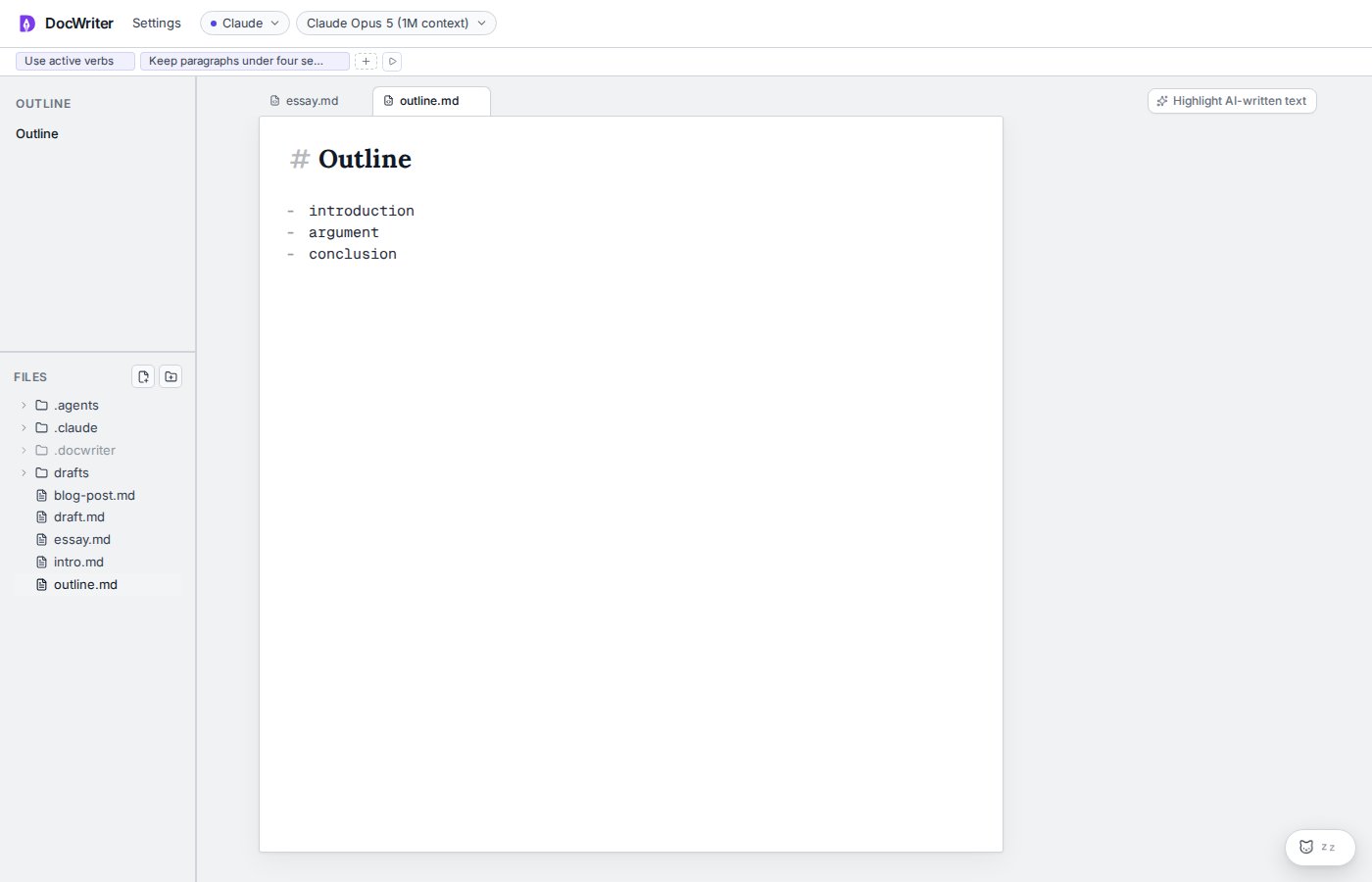
Use the file tree controls to create a file or folder. A file starts empty. Use the context menu to rename or delete an item, and drag files or folders to move them.
You can also drag files from the desktop into the file tree or tab bar. DocWriter copies text and binary files without converting them.
## Use tabs
Click a file to open it as a tab. Tab order and the active tab survive a restart. Closing a tab keeps the file on disk.
Use the tab context menu to rename the file, copy the workspace path, or delete the file. Double click a tab to rename it. Press **Enter** to save the name or **Escape** to cancel.
A badge on a tab means the file has pending agent work or an unresolved agent comment. Stale edit proposals do not count toward the badge.
Markdown, plain text, LaTeX, JSON, YAML, and source files open as plain source tabs. Markdown receives visual layers. LaTeX related extensions remain plain source without Markdown rendering.
 ## Internal files
The `.docwriter` folder remains visible because it contains runtime state and hook configuration. Do not edit `docwriter.db` while DocWriter is running.
DocWriter hides large implementation folders such as `.git`, `node_modules`, `.svelte-kit`, and `build`.
## Deleted files
Deleting a file through DocWriter also removes the saved Yjs update log. Deleting a file outside DocWriter removes the matching tab during the next reconciliation.
## Internal files
The `.docwriter` folder remains visible because it contains runtime state and hook configuration. Do not edit `docwriter.db` while DocWriter is running.
DocWriter hides large implementation folders such as `.git`, `node_modules`, `.svelte-kit`, and `build`.
## Deleted files
Deleting a file through DocWriter also removes the saved Yjs update log. Deleting a file outside DocWriter removes the matching tab during the next reconciliation.