

The history pane (live)
The right pane of the editor logs every event the agent emits, as it happens:- Tool calls (
read_doc,edit_doc,WebSearch,Bash, …) - Hook runs (the shell command, exit code, stdout, stderr, duration)
- Plain assistant text (when the agent speaks rather than acts)
- Comments the agent posts
- Errors
--new-session —
open the transcript viewer.
When a run fails
When a run fails, you see a red toast in the top right of the window and an error row in the history pane. You continue to see the toast until you dismiss it, even when the history pane is collapsed. If your login is no longer valid, you see an authentication label and instructions for signing in again. For Claude, runclaude in a terminal
and use /login. The agent may retry for a couple of minutes before
reporting the problem, so you may wait without seeing an error. If the
agent still fails after you sign in again, start a new session from the
agent dock.
The transcript viewer
At the top of the history pane is a Transcript button. Clicking it opens a full-screen viewer over the editor.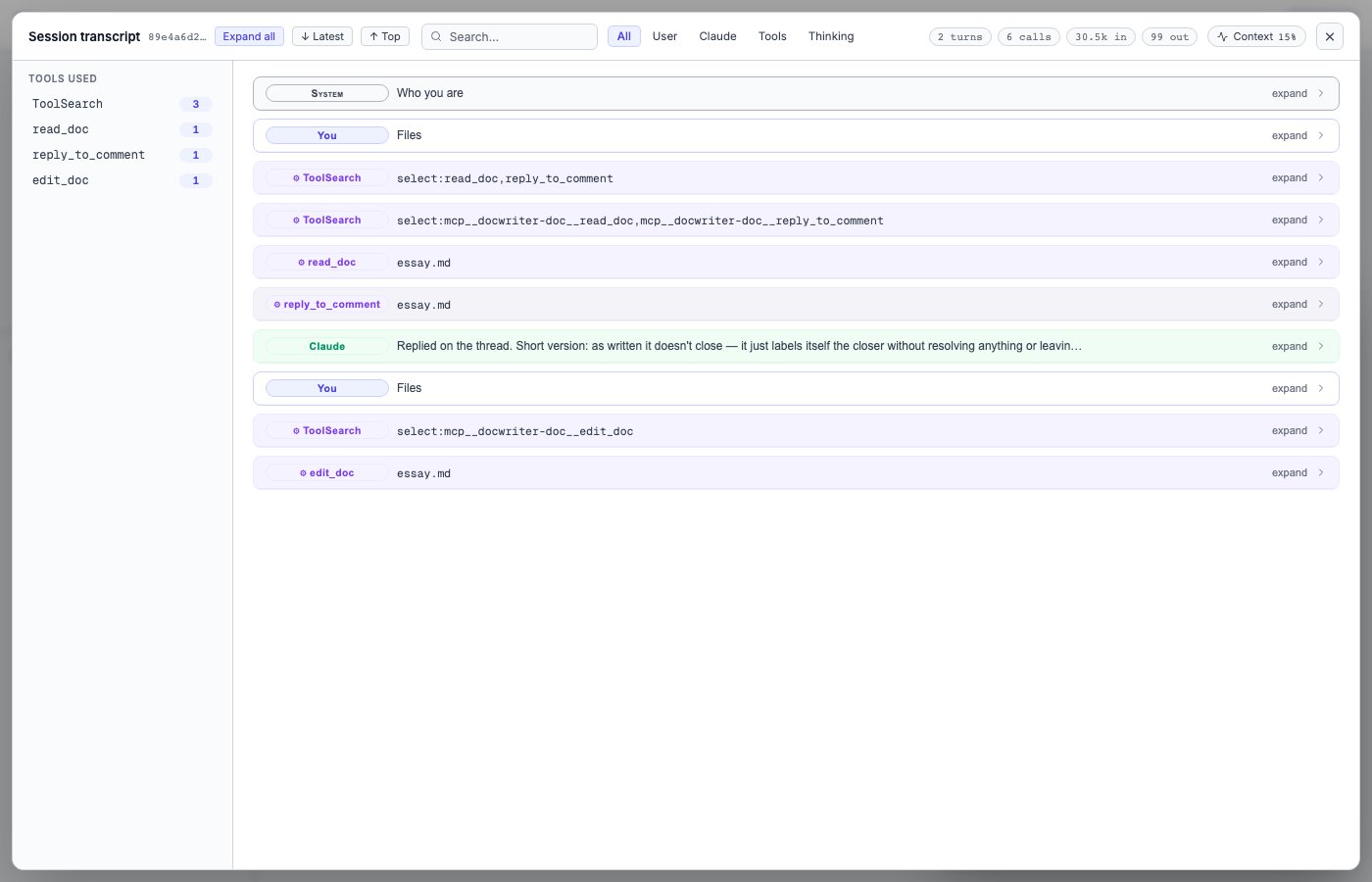
--new-session
clears (the prior session sits there as a snapshot until the next
session writes over it).
What’s shown, in chronological order:
- User events. Every prompt you sent, every wake-up, every action the UI took on your behalf (accept, reject, retry-with-feedback).
- Assistant text. Prose the agent emitted alongside its tool calls.
- Tool calls. Each call gets its own row with the tool name, collapsed input JSON, and an expandable output panel.
- Hook runs. Same format as in the history pane, but the full stdout/stderr is available.
Navigating
Three controls at the top:- Search. Free-text search across every event in the session. Useful for finding “where did the agent fetch that URL” or “what did I prompt last Tuesday”.
- Filters. Per-event-type toggles (user messages, assistant text, tool calls, hook runs, errors). Default shows everything; turn off whichever categories you don’t care about right now.
- Verbosity. Toggle between verbose (every event) and minimal (just user actions + edits + hook runs + render boundaries). Useful when you only want to see what changed, not every intermediate Read/Glob/Grep.
WebSearch it’s the search results; for Bash it’s the command
output.
The search bar plus the filter chips combine. Searching for a tool
name and toggling the Tools chip narrows the view to just that
tool’s calls, with everything else collapsed out:
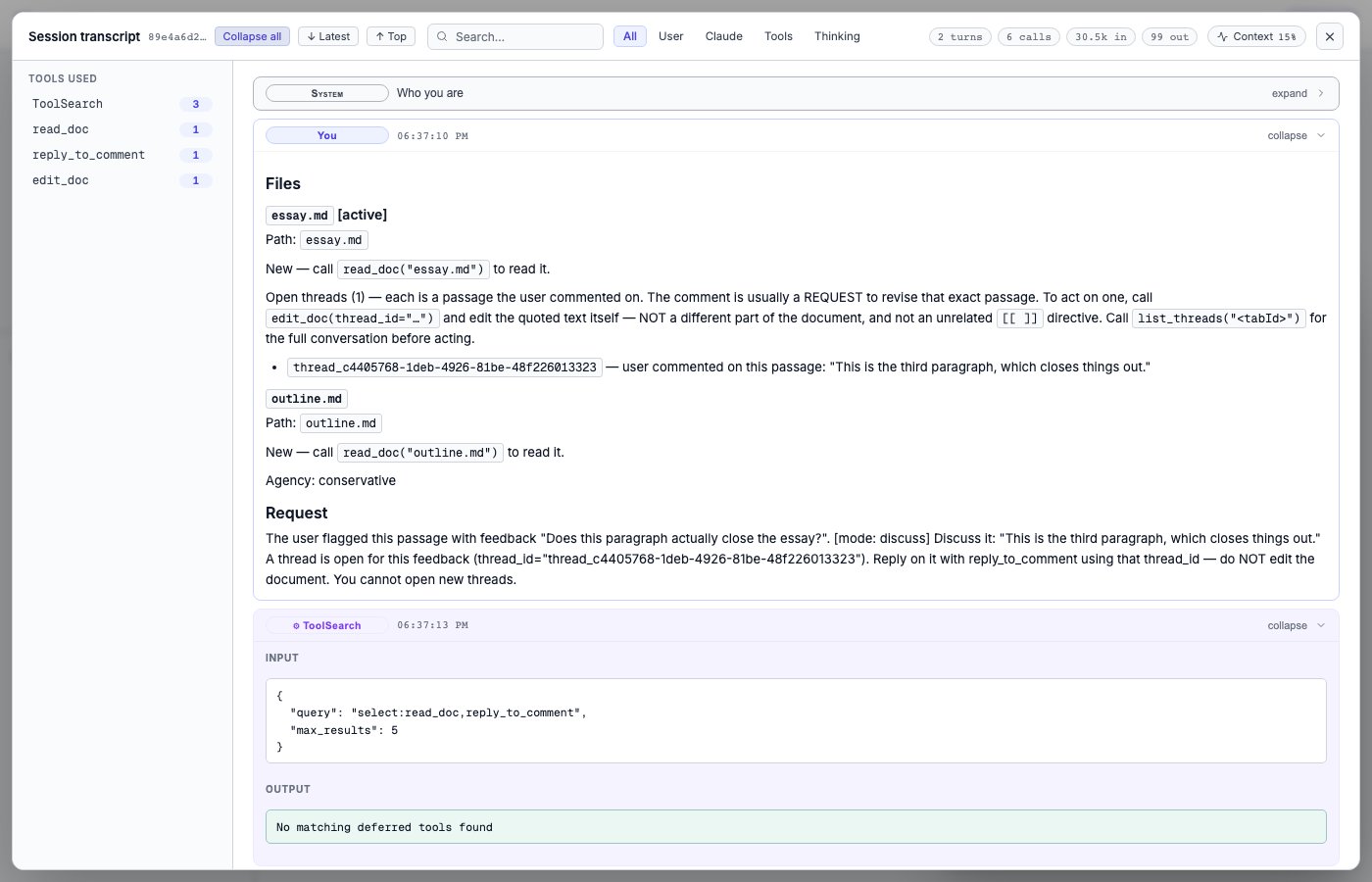
Esc (or click outside the viewer) to close it.
When to look at the transcript
The transcript is most useful when:- An agent edit looks wrong and you want to see exactly what the agent saw before deciding to make it.
- Debugging a hook: the hook’s stdout/stderr in the transcript is the full output, not the 2KB-truncated version in the history pane.
- Reproducing a sequence: you want to see what you prompted last time you got a result you liked.
- Auditing: confirming the agent did what it said it did
(e.g., checking that the citation it used in a footnote was
actually returned by
WebSearch, not invented).