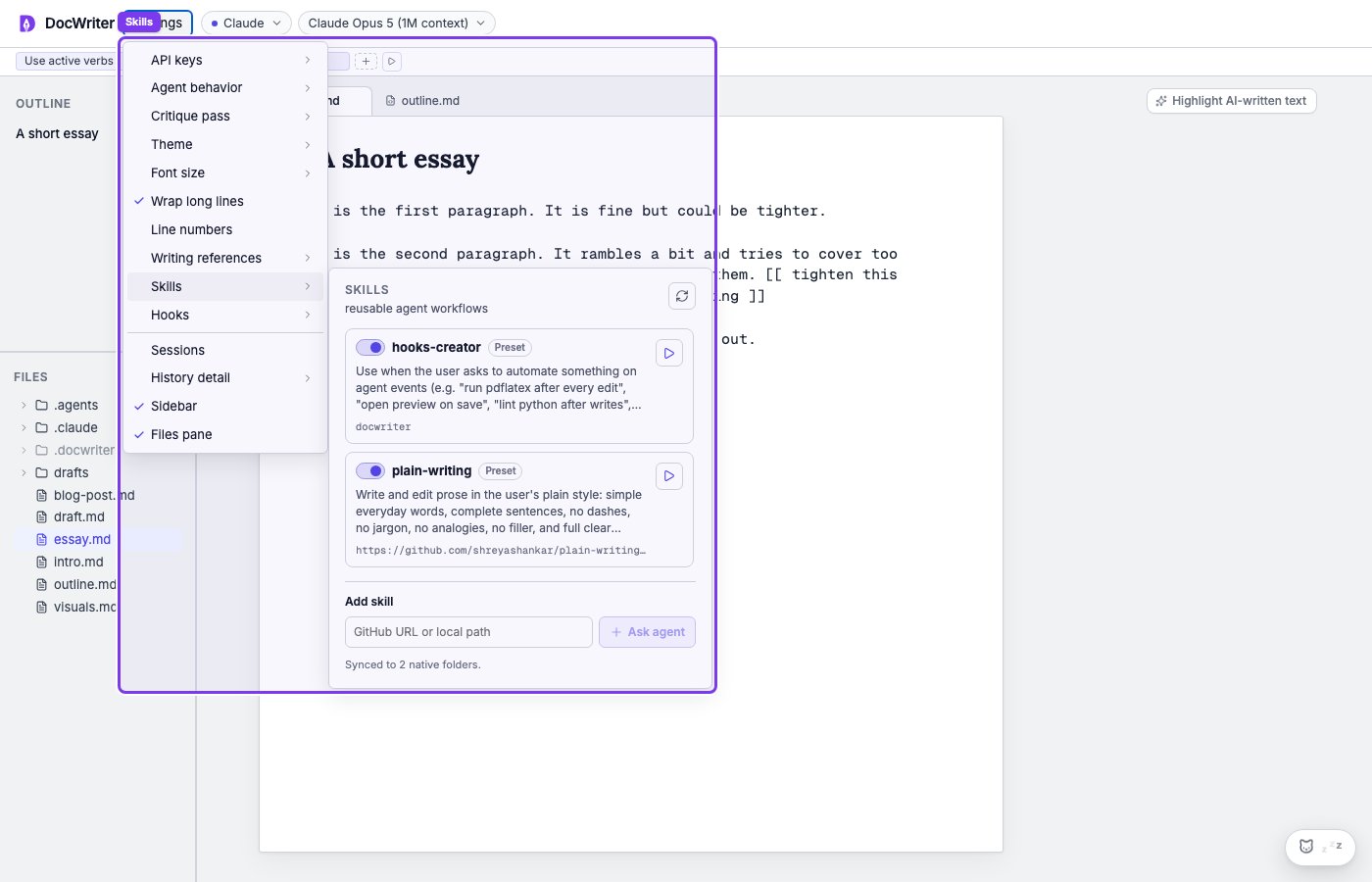
SKILL.md file. The frontmatter
declares when the skill should fire (a description Claude reads to decide
relevance); the body is the instructions the agent follows when the
skill activates. For the full format, examples, and progressive-loading
semantics, see the SDK reference:
Where DocWriter looks
The agent loads skills from two places:- Bundled skills. DocWriter ships a small set of skills aimed at
writing workflows. Today there is one:
hooks-creator, which lets the agent propose a hook from natural language (e.g. you say “run pdflatex after every Edit”; it proposes the hook for you to accept). Bundled skills live insrc/lib/server/skills/in the DocWriter repo and are loaded automatically. - Project skills. Anything in
.claude/skills/inside your workspace is loaded as well. This is where you put skills specific to a project (e.g. abibliography-checkerskill for a paper, achapter-templateskill for a book).
Writing your own
Create a directory under.claude/skills/ in your workspace, add a
SKILL.md, and the agent will pick it up on its next session. The
description in the frontmatter is what Claude uses to decide when the
skill is relevant; write it specifically and concretely.
The bundled hooks-creator skill is a small worked example. See
src/lib/server/skills/hooks-creator/SKILL.md in the DocWriter repo.
When to use a skill versus a rule
Writing rules and skills overlap. The rough distinction:- A rule is short, declarative, and applies all the time (e.g. “avoid passive voice”). It is included in every agent turn’s system prompt.
- A skill is longer, situational, and loads only when relevant. Good for procedures with multiple steps, or for behaviors that only matter in specific contexts.