

Comment threads
Use a comment thread when you want to discuss one passage before deciding whether to change it. You will see comments in the gutter, anchored to a text range. Open a thread to reply, send feedback, or inspect edits that belong to the discussion. An unresolved passage has an inline underline and a small message count pill. Click either marker to open the gutter card. Use Resolve when the discussion is complete. When you resolve a thread, any pending edits linked to it are also removed. Use Reopen when the discussion should continue. When you delete the anchor text, the detached thread disappears from the gutter. Undoing the deletion restores the text and can restore the thread anchor.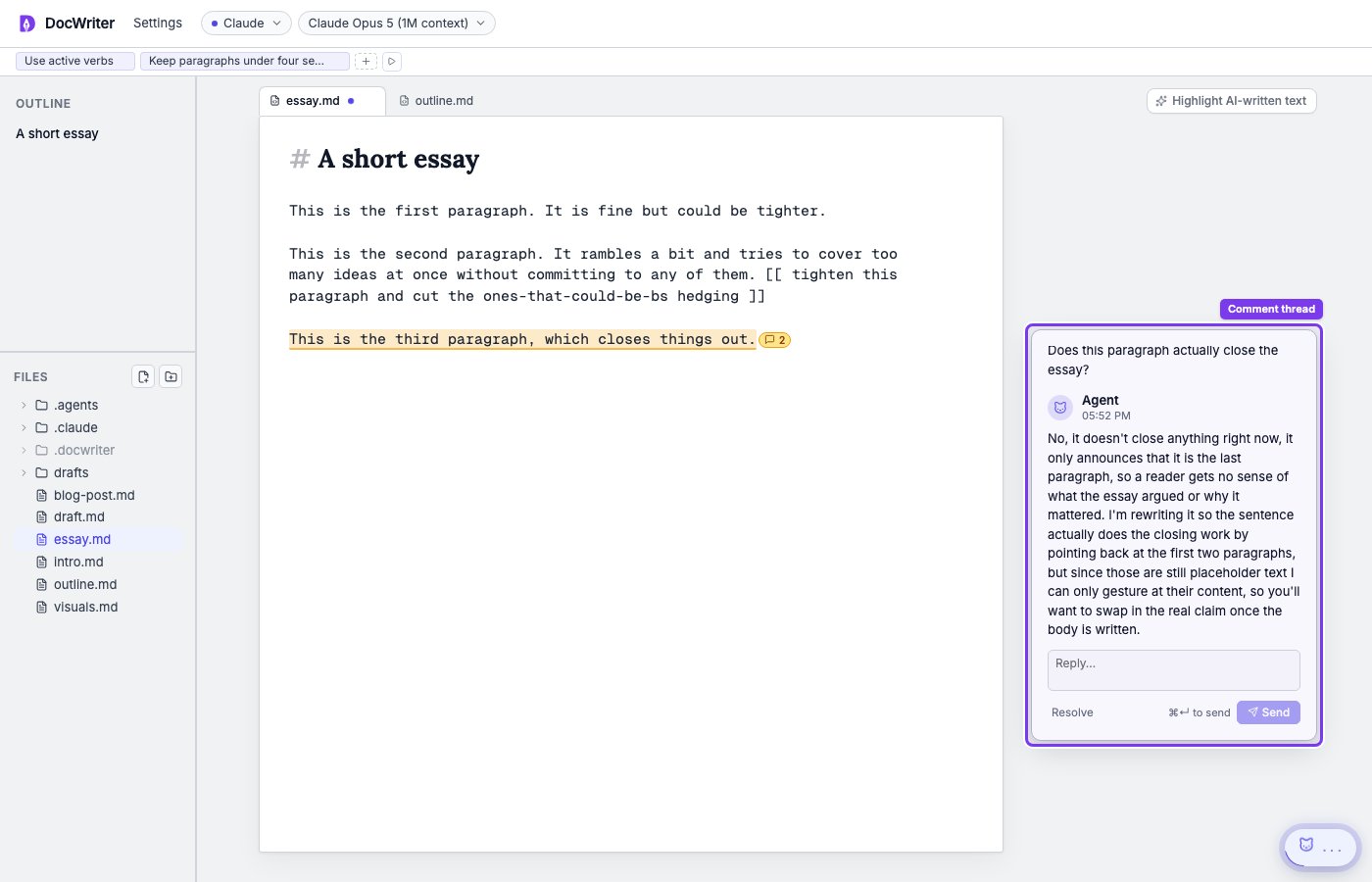
Proposed fixes in comments
When the agent has explained a problem without changing the draft, you can choose Approve and propose edit on its message. Approving asks the agent to turn the explanation into a reviewable change, so you can inspect the exact wording before accepting it. When you reply to a thread, the agent wakes with the thread transcript. The agent can respond to the discussion and group later edits under the same thread.Critique passes
Open Settings, then Critique pass. Built in reviewers include PhD Advisor, Copy Editor, Skeptic, and Fresh Eyes.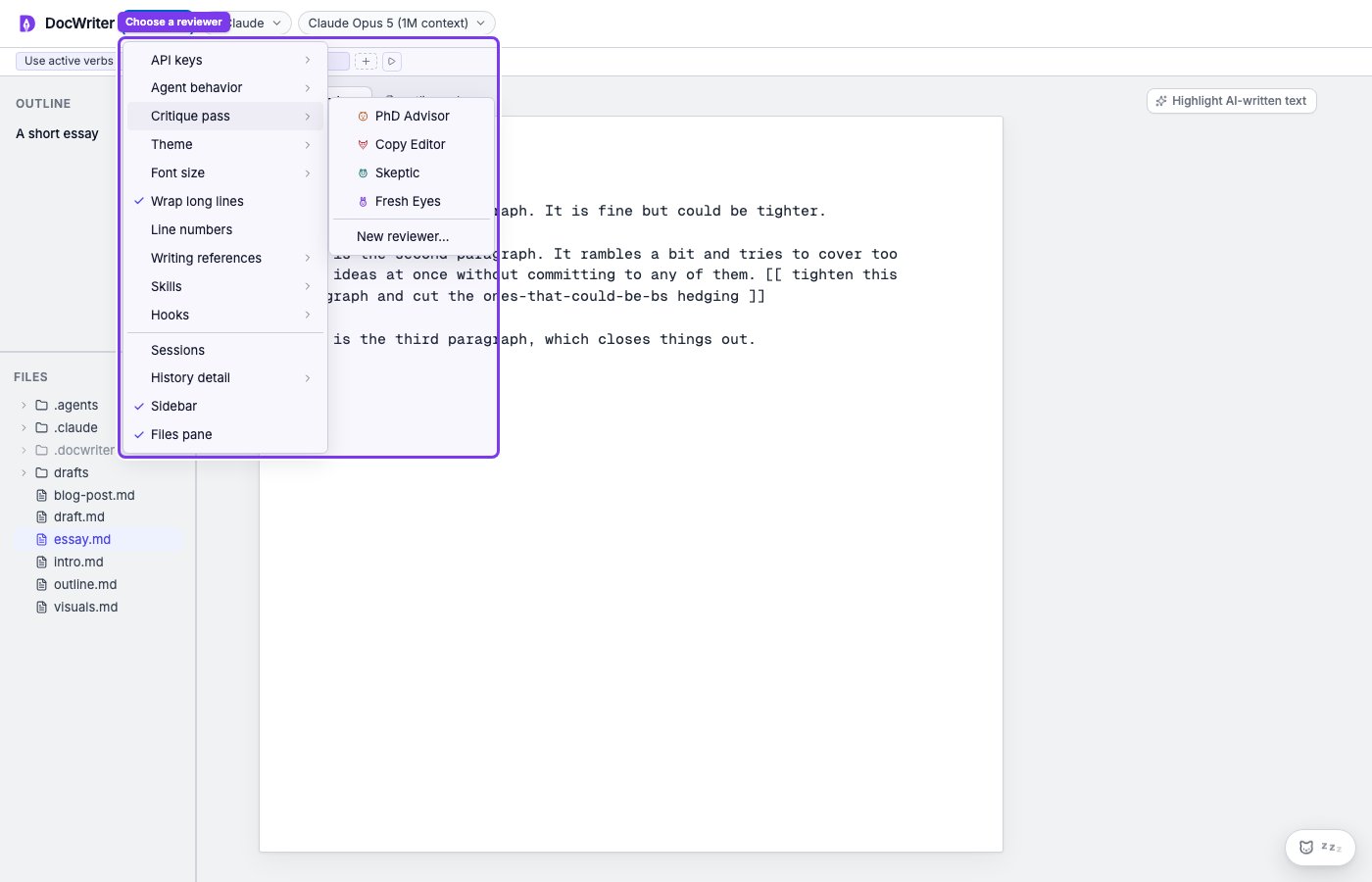
Import external feedback
Open Settings, then Import feedback. You can bring in feedback from collaborators who reviewed your draft outside DocWriter.Upload a Word document
Drop or select a.docx file that has comments. DocWriter extracts each comment with its author and the passage it was anchored to. You see a preview of the extracted comments before importing.
Paste plain text
Choose Paste feedback and paste any text — email threads, Slack messages, reviewer notes. The agent reads the raw text and identifies each piece of feedback on its own. Include quotes of the passages being discussed when possible so the agent can find the right spots in your draft.What happens after import
The agent processes each comment and creates a gutter thread for it. Threads appear progressively as the agent works. For each comment, the agent:- Finds the matching passage in your current draft.
- Creates a thread anchored to that passage, attributed to the original reviewer.
- Replies with a short assessment of whether it agrees and whether a fix is clear.
- Proposes an edit when the fix is straightforward. Otherwise it leaves the thread for you to decide.