

Create a hook
Open Settings, then Hooks. Start from a template, or add your own event, matcher, command, and optional output path. The event says when the command runs. The matcher limits which tool names can start it. The output path tells DocWriter which generated file it can preview. The included templates build LaTeX, convert Markdown with Pandoc, render Mermaid diagrams, or commit and push Git changes. Edit each template so its file names and command fit your project before you enable it.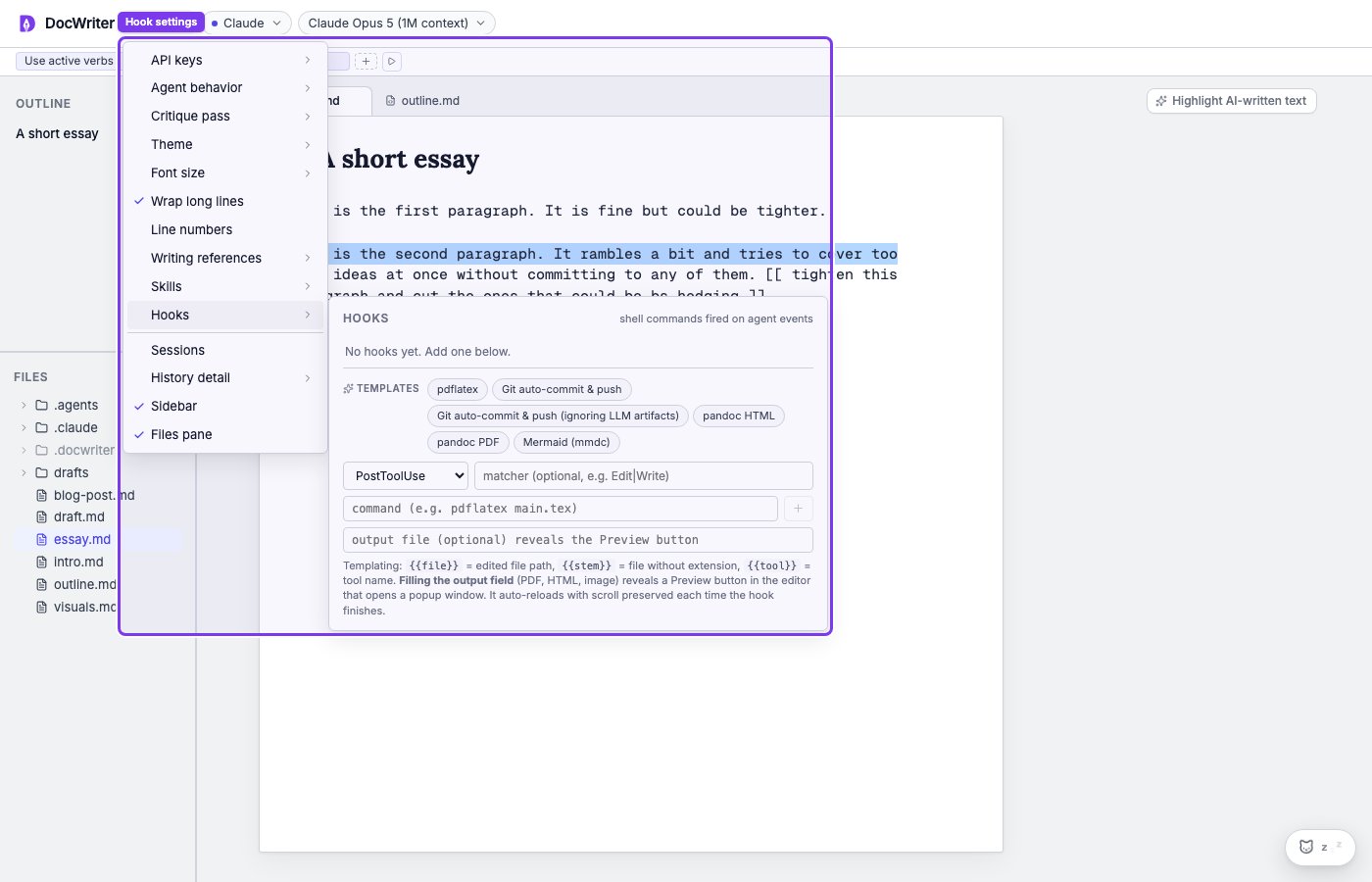
Choose an event
The event controls when the command runs:- PreToolUse runs before a tool.
- PostToolUse runs after a successful tool.
- PostToolUseFailure runs after a failed tool.
- UserPromptSubmit runs when you submit a request.
- Stop runs when the main agent finishes a turn.
- SubagentStop runs when a subagent finishes.
- SessionStart and SessionEnd run when an agent session starts or ends.
- Notification runs when the agent sends a notification.
Limit a hook with a matcher
A matcher limits a hook to selected tool names. DocWriter treats the matcher as a case insensitive regular expression. For example,Edit|Write matches a tool name that contains Edit or Write.
Leave the matcher empty to run the hook for every tool that reaches the chosen event. Tool names can differ across providers, so check the live activity before using a narrow matcher.
Use file variables
Variables let a command use the file and tool that caused the event:{{file}}is the workspace relative file used by the tool.{{stem}}is the file path without the final extension.{{tool}}is the tool name.
notes/draft.md, then {{file}} becomes notes/draft.md and {{stem}} becomes notes/draft. File values are empty when the event does not belong to a file tool.
Manage hooks
Use the checkbox to enable or disable a hook. Use Run now to test its resolved command with the active file. Remove a hook with the x control. You may see a Proposed hook toast when the agent suggests a hook. Accepting the toast saves the hook. You then review the saved command and choose whether to enable it.Preview output
Set Output when the command produces a file that DocWriter can preview. For example, a command that buildsmain.tex can set its output to main.pdf. When you open a preview, DocWriter uses the first enabled hook whose output matches your active source file.
The pdflatex template runs at Stop, which means it runs after the main agent finishes a turn. Your own typing does not start the hook.