

1. Add 3 to 5 sources
First, you open the references pill in the header. You can also go to Settings, then Writing references. You add 3 to 5 passages from your writing. For each source:- You paste a few hundred words. A sentence or two is not enough.
- You add a short description, such as “paper introduction” or “related work section”.
- You select Add source.
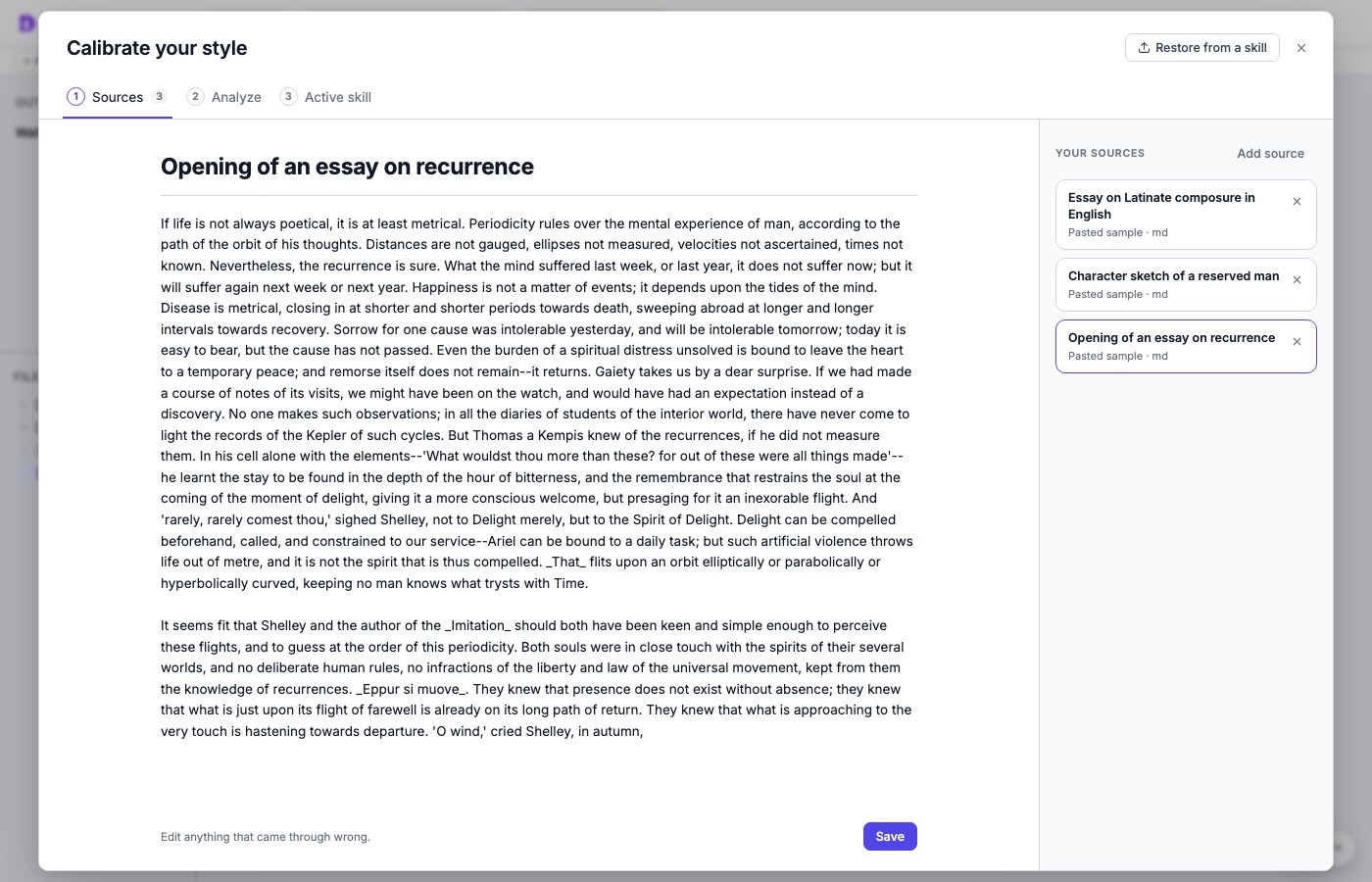
Step 1. Three sources are ready to analyze.
2. Run the analysis
Then you select Analyze and Run analysis. DocWriter measures your passages and asks three specialist agents to study them. DocWriter combines their findings into instructions and uses the model you selected in the header. The analysis usually takes about ten minutes. While it runs, you can close the dialog and keep writing. When you return, the left column shows what is done and what is still running. You can select any step to read its notes or measurements.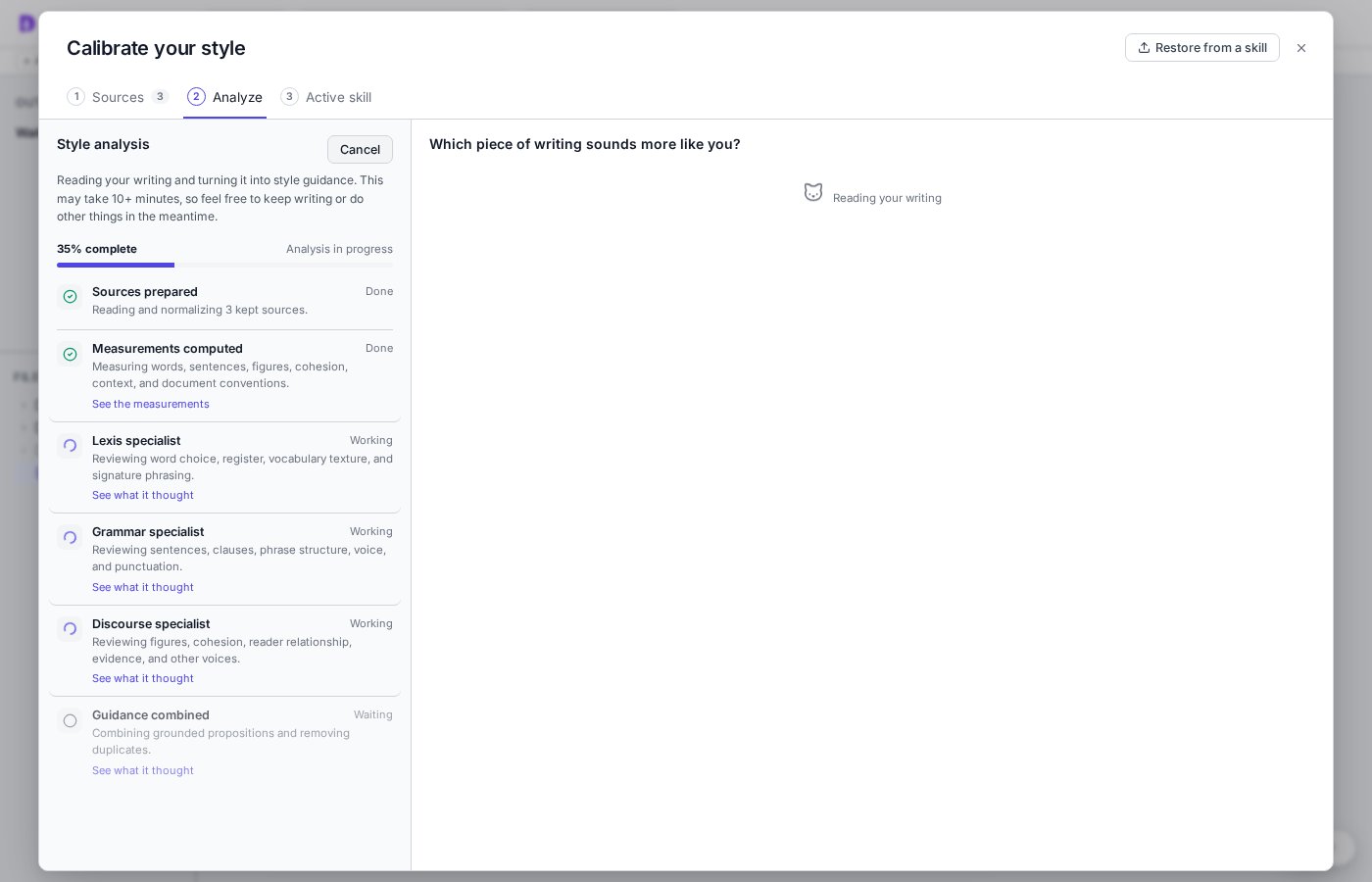
Step 2. You can follow the progress while the analysis runs.
3. Choose the version that sounds like you
While the analysis runs, you will see comparison cards. On each card, you compare a passage from your sources with a version that changes one writing choice. Then you choose one of these options:- You choose A or B when one version sounds more like you.
- You choose Both are the same to me when you have no preference.
- You choose Neither is good when you want to edit one version.
- You choose Skip proposition when you do not want the agent to follow that choice.
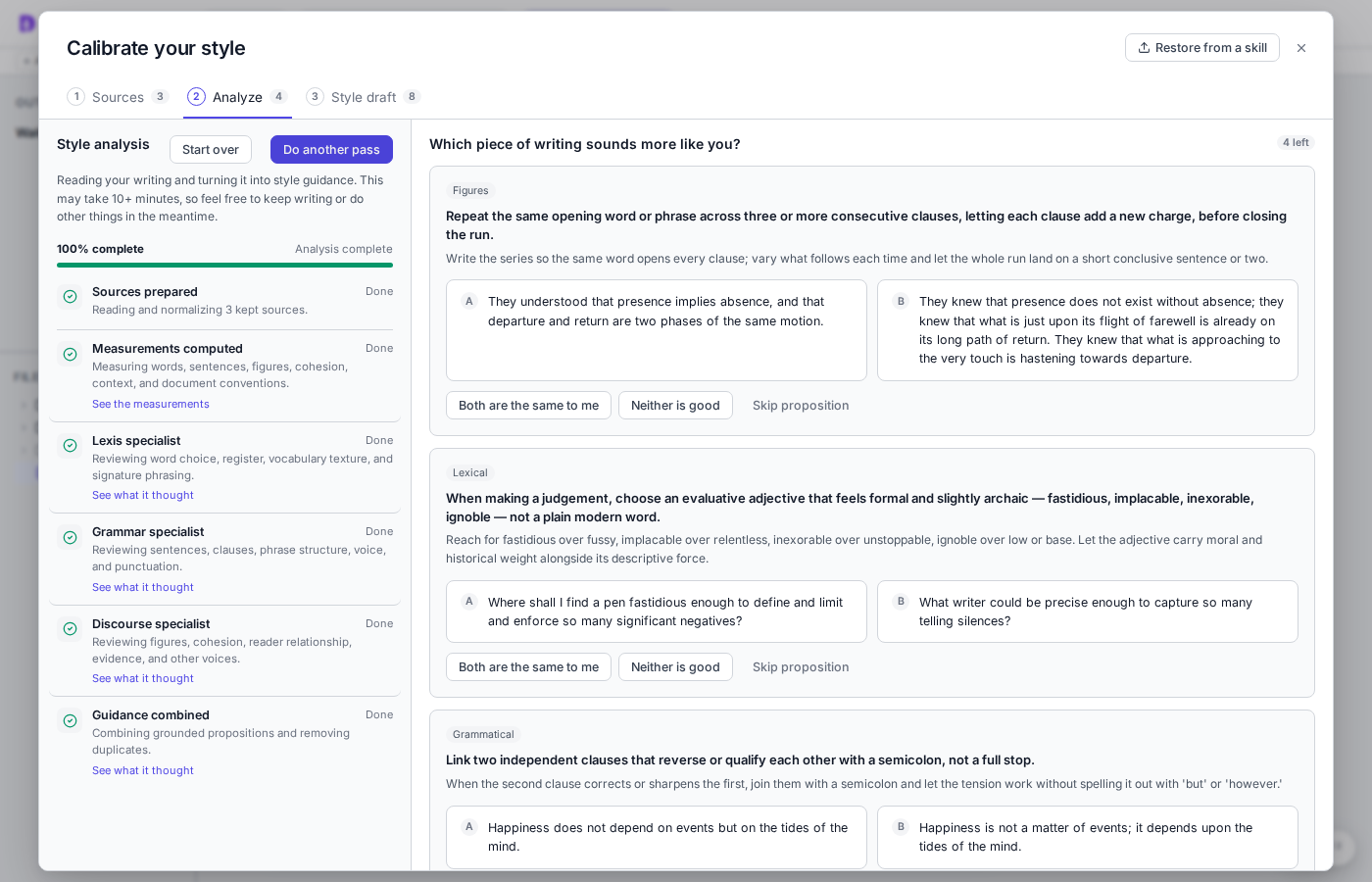
Step 3. Compare the two versions and choose the one that sounds more like you.
4. Review and save your style instructions
After you answer the cards, open Style draft. You review the instructions and remove any instruction you do not want. Then you select Finalize style. The writing agent keeps using your last finalized style until you finalize the new draft.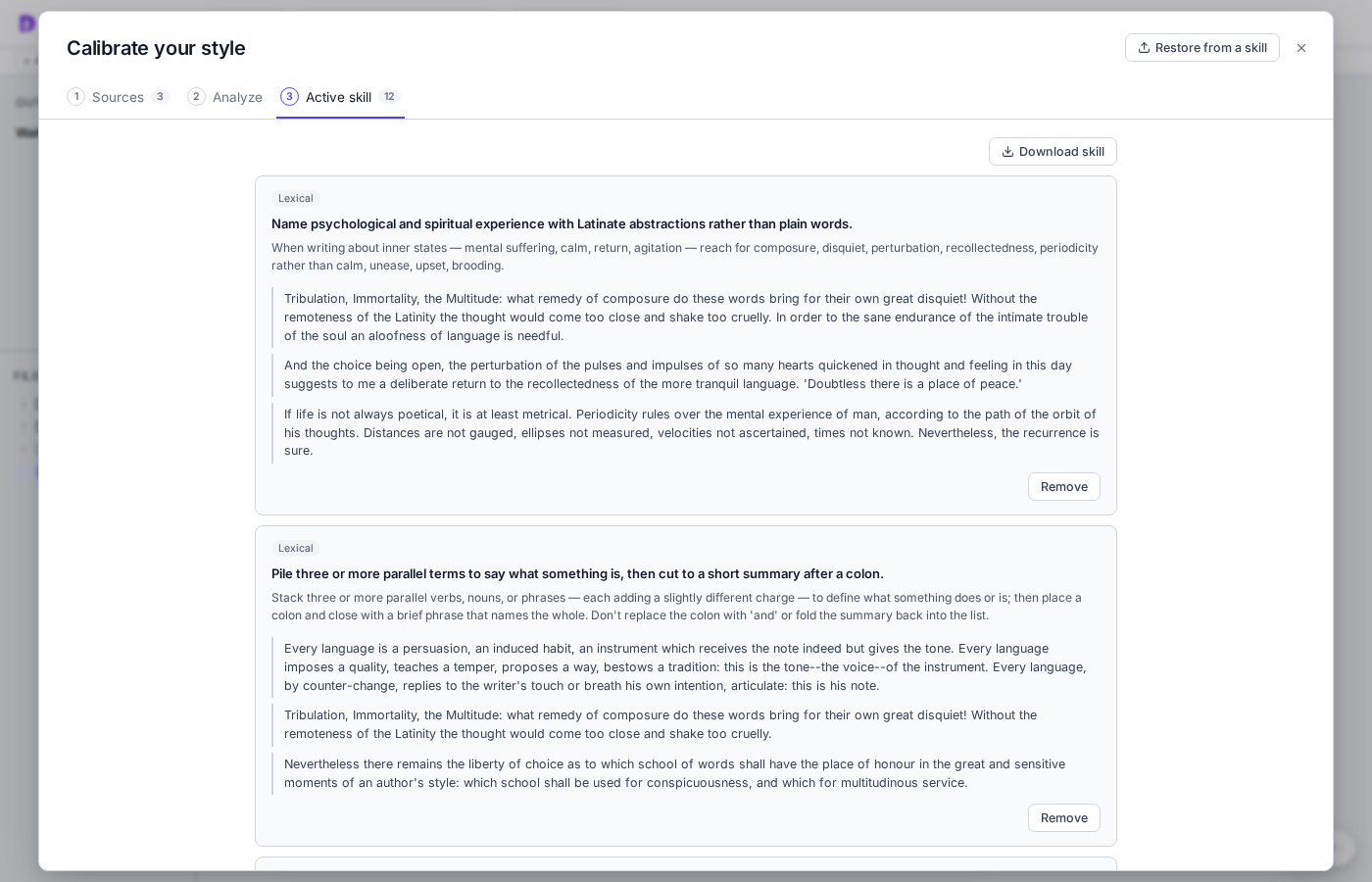
Step 4. Review the instructions before you finalize them.
5. Use your style instructions
After you finalize your style, you can ask the writing agent to write or edit as usual. You can put your request in a directive inside the document: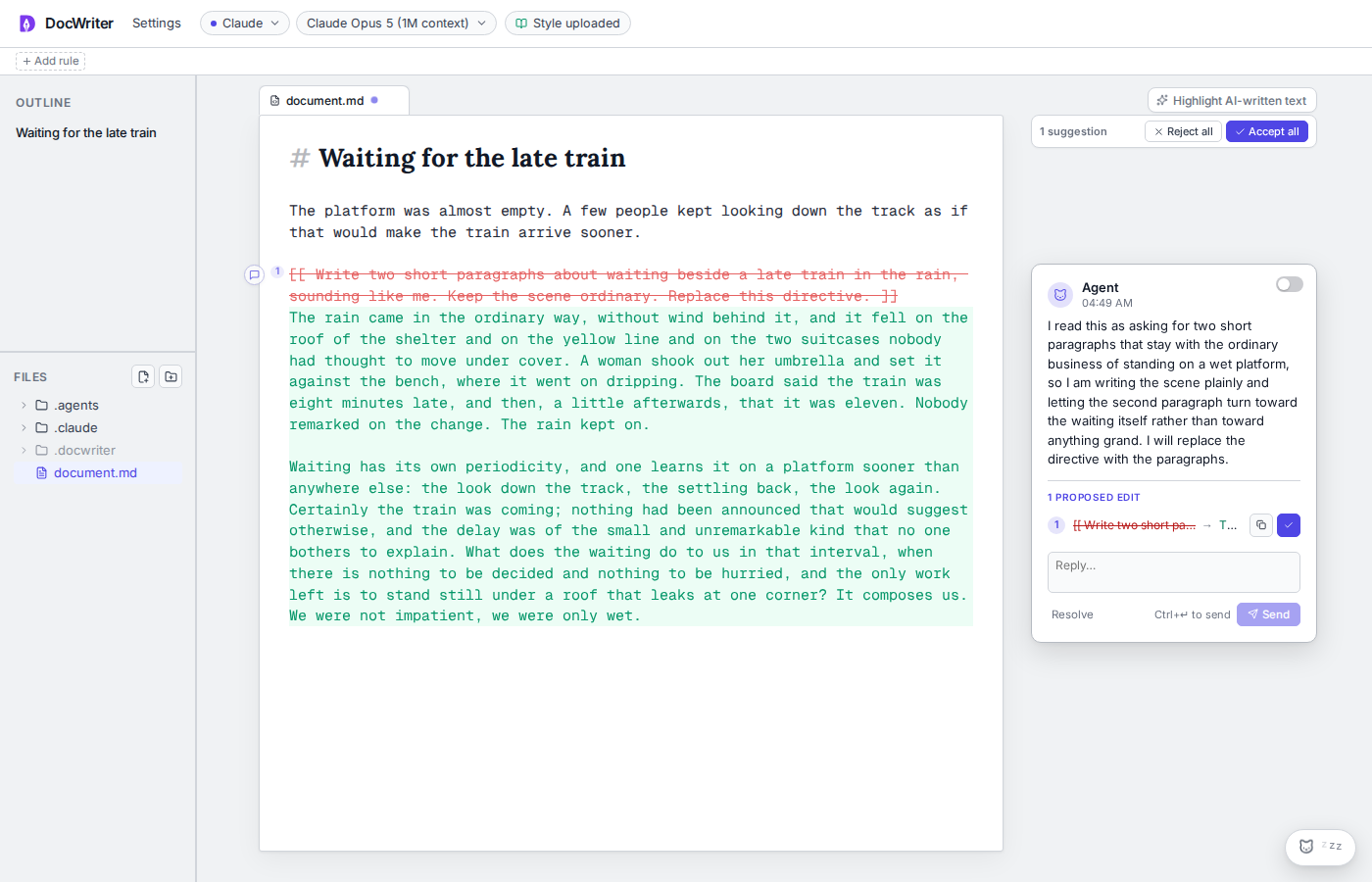
Step 5. Review the agent's edit and decide whether it sounds like you.
How it works
We designed DocWriter’s style calibration feature around four properties:- Specific to your writing. The guidance should describe patterns in your writing, rather than generic advice about good writing.
- Important to you. The guidance should include only the patterns you want the agent to preserve.
- Easy for you to confirm. You should be able to make decisions without reviewing a long list of abstract claims.
- Portable across agents. The guidance should work with writing agents outside DocWriter.
author-style skill under .docwriter/skills/author-style/. You can download the skill bundle and use it with other agents that load and use skills, to then follow the same guidance and examples.